Skip to content
vowlyevent

Live demo

Change your choices

Night Garden
Layout
Colours and style
Each style set changes the colours and the fonts together.
Fixed words and the names of months and days follow the guest’s language. Your own texts stay as you wrote them unless you add another language.

Your choices will be ready in the app.

See the very page your guests will open from your link, without signing up. Replies in the demo are not sent.

You can scroll both frames and open the sections. The reply form on the phone works; replies in the demo are not sent.

Try replying

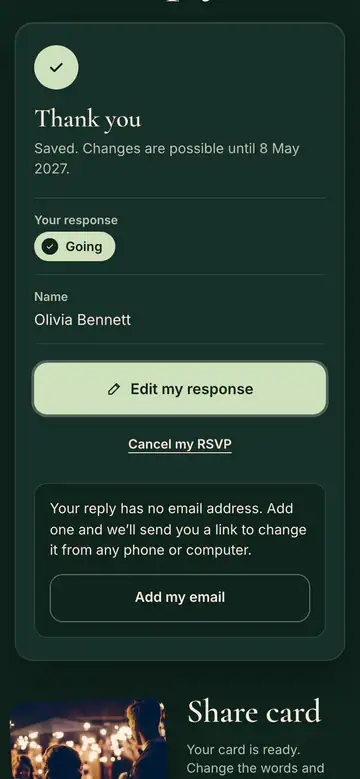
The three screens your guest sees when replying, in the colours and style you chose. You can also send a reply yourself on the phone above.
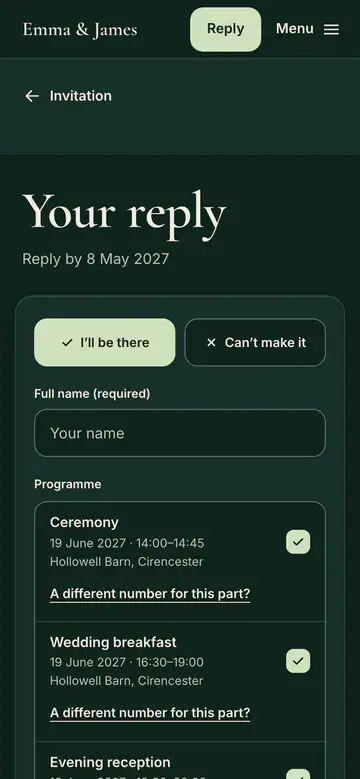
The reply form on the pageThe guest says whether they are coming and fills in the form. The form follows the event type: one person per reply at a company event, the child’s name at a children’s party.
Thank youThe reply is saved. The guest can change it until the reply-by date and add the day to their calendar.
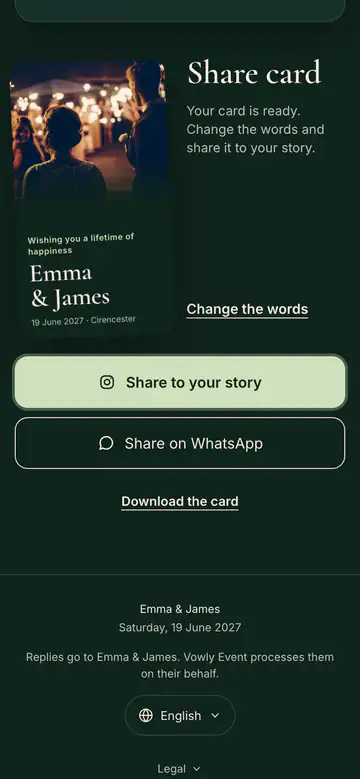
Share cardThe guest picks a ready-made line or writes their own, then shares the card in their story or on WhatsApp.

Create your first invitation in minutes.

Planning is free with no time limit; try the guest side free for 14 days.