Sage
Baby shower invitation
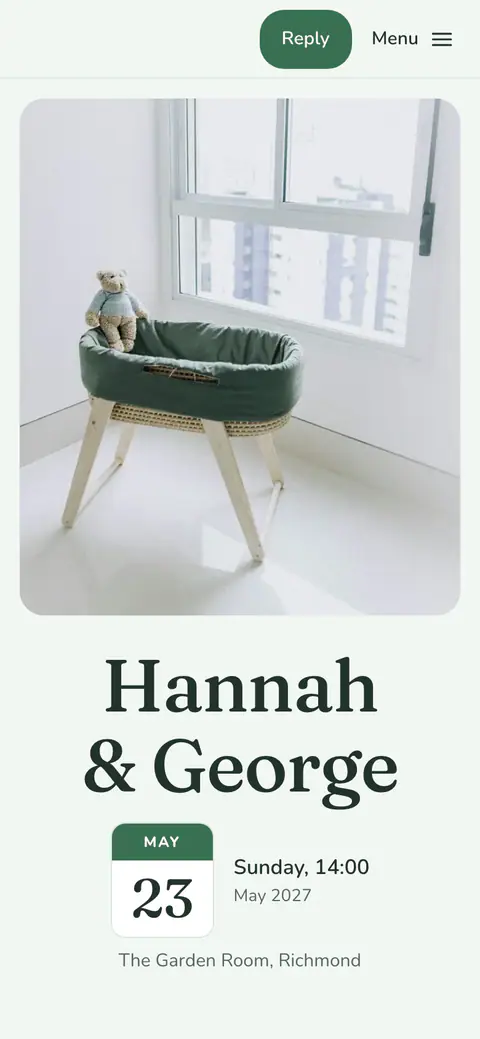
Cotton in the Mint Leaf style set, with the Framed cover and the Pages layout.
This look
- Design
- Cotton
- Style set
- Mint Leaf
- Cover
- Framed
- Layout
- Pages
- Fonts
- Fraunces, Nunito
- Photo
- A Vowly photo, or your own
Sage is now made with Cotton, the baby shower design of Vowly Event’s new invitations. The Mint Leaf style set puts the headings in Fraunces and the text in Nunito, on a light ground.
The Framed cover sets the photo in a rounded frame, with the words centred under it. The Pages layout makes a small site with a menu, and every section on a page of its own. The picture uses one of Vowly’s own photos, which you may use for free; your own photo can take its place. Guests open it from one link on a phone or a computer and reply on the page.
Three layouts
The same details in the three layouts, each shown where it differs.
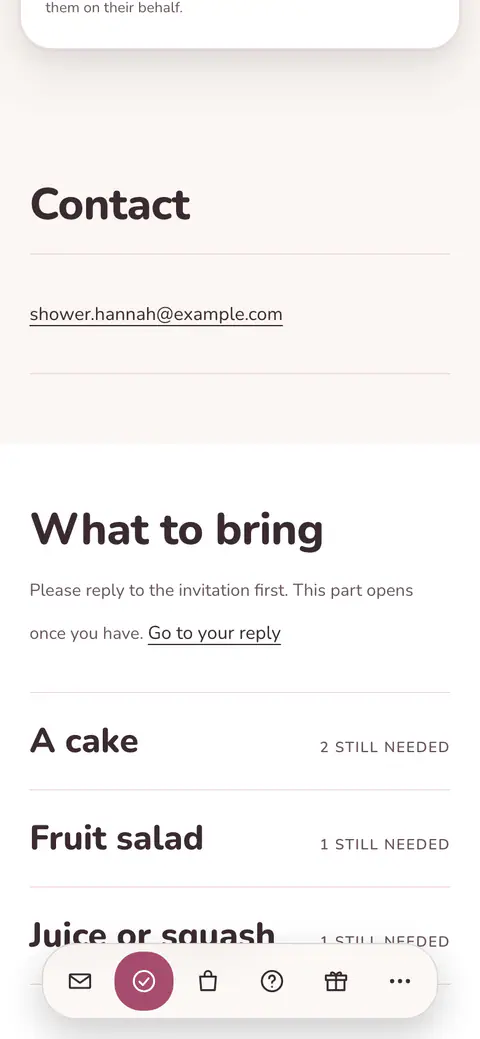 FlowOne page that guests scroll through.Cotton style set
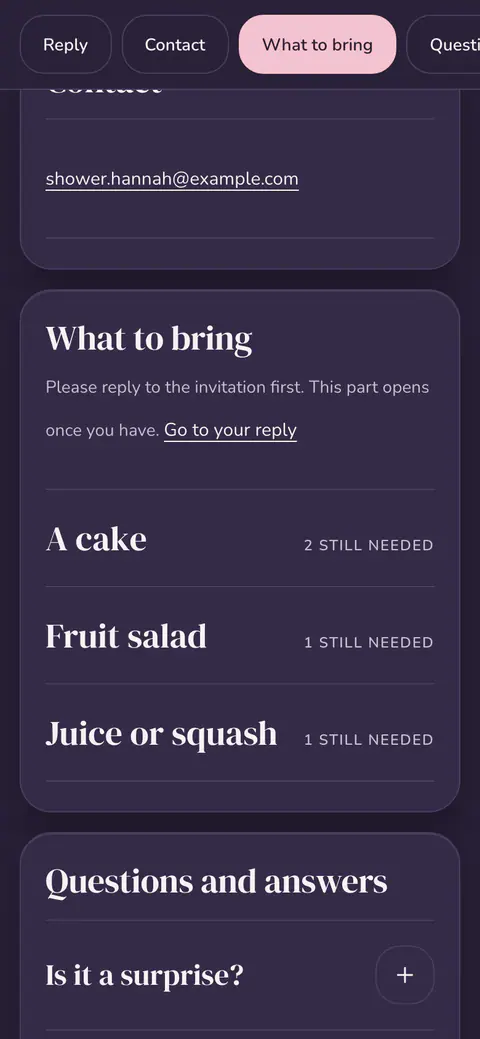 CardsA cover, then a card for each section.Lullaby style set
 PagesA menu, with a page of its own for each section.Mint Leaf style setThe layout of this look
Questions about Sage
Can I change the cover, the style set or the layout of Sage?
Yes. On the Invitation page in the app you can choose any of the seven covers, another style set or your own colours, and any of the three layouts. Your details and the replies stay as they are, and guests see the change once you publish it.
Can I use my own photo on the Framed cover?
Yes. Upload your own photo, or choose one of Vowly’s photos, which are free to use. While your own photo is on the cover, it stays there.
Invitations already published with the earlier Sage theme stay as they are. If you like, you can move them to the new designs on the Invitation page; nothing changes until you confirm.
More looks for this occasion
See all designs- ArrivalCotton · Cotton · Polaroid
- QuietCotton · Morning Sky · No photo
- NestCotton · Lullaby · Arch
- CloudCotton · Morning Sky · Full bleed
- CottonCotton · Cotton · Split
- LullabyCotton · Cotton · Band
- Little CloudCotton · Mint Leaf · Arch
- Morning BlueCotton · Morning Sky · Framed
- Rosy StepsCotton · Cotton · Full bleed
- Nursery SageCotton · Mint Leaf · Band
Also for this occasion
Baby shower invitations